
How to play a padel ladder: a player's guide


Photo: Haakon Nordvik
A padel ladder is your club's ranking for the whole season: you play one match per round against a team close to you, and your place moves with your results. This guide shows everything you as a player have to do in PadelLoop's Ladder, with screenshots of the pages you will use. Most of it takes a minute per round.
Your club runs the ladder, and Ladder is still in beta, so the pages can change a little. Questions about your team go to the club. Clubs that want to test Ladder can write to hi@padelloop.app.
In short
- No app and no password: you sign in with a link by email or with Google, and everything is on your own page.
- One match per round: usually against a team close to you in the table, with a new round every one or two weeks.
- Results: one team enters the score and the other confirms it. No answer by the deadline means it is confirmed.
- Moving: beat a team above you and you climb, further the bigger the gap, up to 8 places. A draw moves nobody.
- Can't play? Concede before the agreed time. The first concession of the season costs one place at most.
Your season in five steps
This is all a player has to do. The rest of this guide shows each step on screen.
Sign in and pick your level
Open the link from your club, sign in with email or Google, and pick the level you play at today.
Check your page
Your next match is at the top, with what you need to do now. Position, form and results are below.
Agree a time
Tap a suggested time or agree another in the match chat with your opponents.
Play and enter the result
One of the four players enters the games per set after the match.
Confirm or correct
When the other team enters the result, tap Right, or Wrong and enter the score you think is right.
Joining: sign in and fill in your profile
You get a link from the club, by email or on the poster in the hall. There is no app to download and no password to remember: write your email address and you get a sign-in link, or continue with Google.
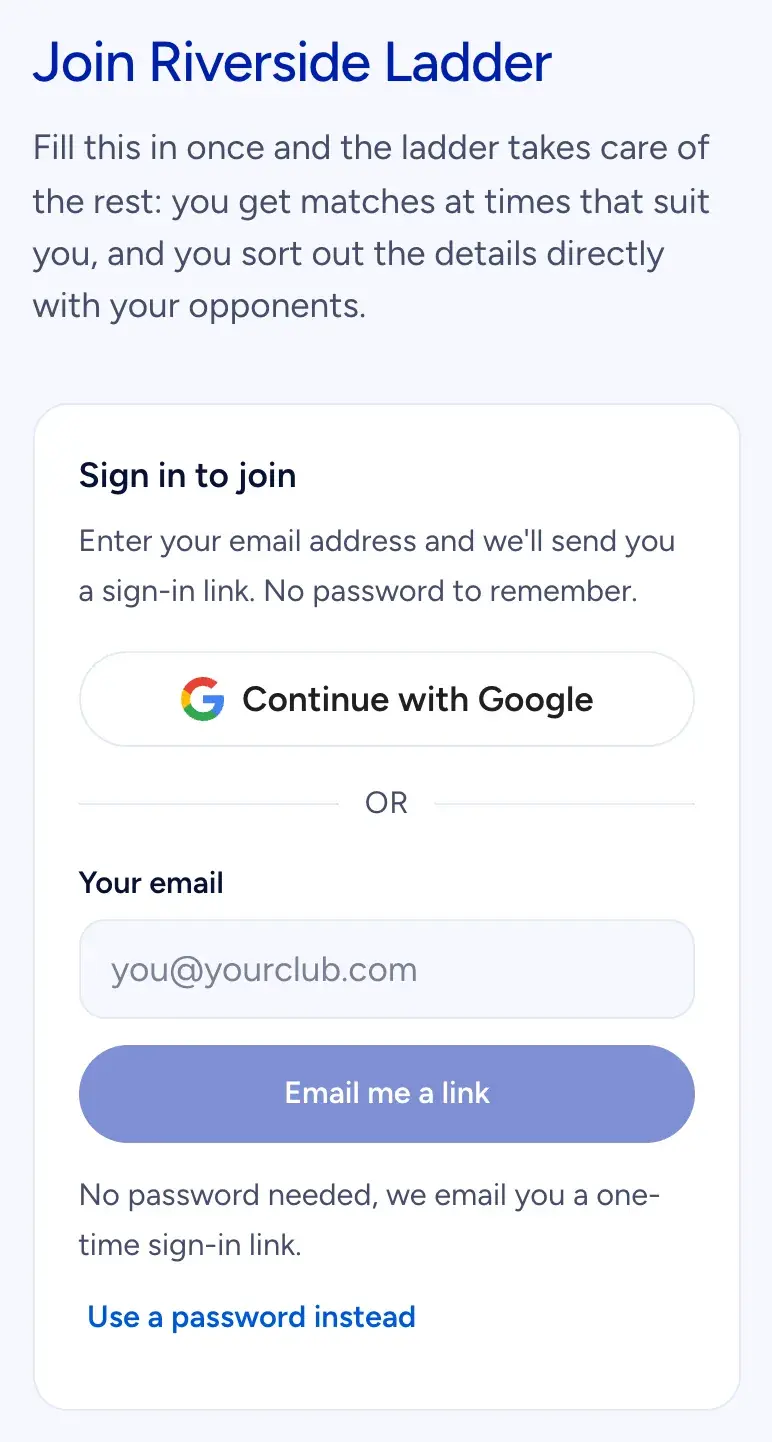 Signing in: an email link or Google, no password needed.
The first time, you fill in a short profile. Your name, and whether to hide your surname: then the table shows "Kari H." instead of your full surname. When you can play, on a grid of days and evenings: everything is on from the start, so tap away the times you cannot play. The suggested match times come from this grid, for both teams. A phone number is optional, and is only shown to your opponents if you tick that they may see it.
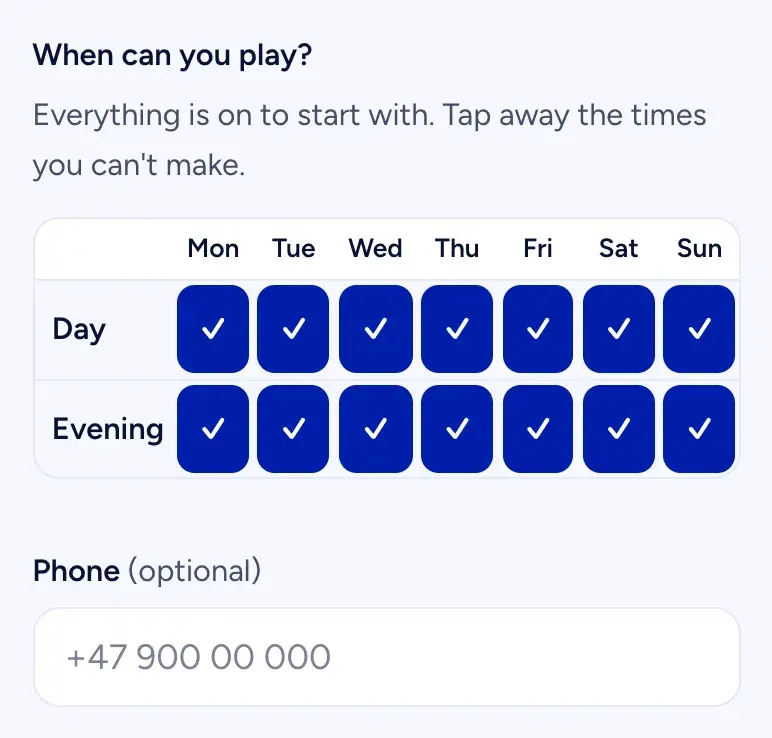 When can you play? Untick the times that never work.
Picking your level
You pick the level you play at today, not the one you are aiming for. The cards go from "New to padel" to "Competition", each with a short description, and the numbers follow the Playtomic scale. If you have a Playtomic level, type it in and the matching card is chosen for you.
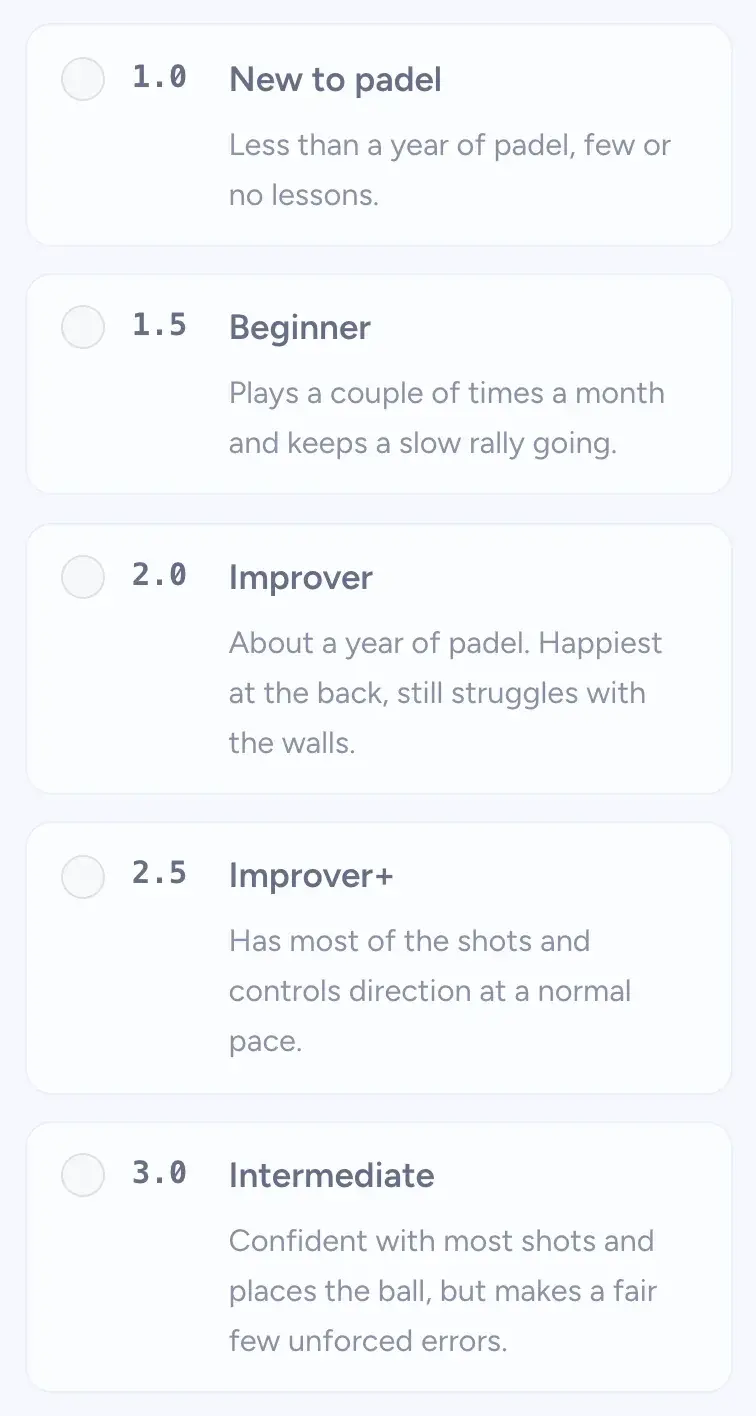 Pick the description that fits how you play today.
The level decides where your team starts and who you meet in the first rounds. Too low, and you start too far down and beat teams that are weaker than you, which gives them dull matches. Too high, and you lose until the ladder has moved you to where you belong. Your level is never shown in the table; only you and the board see it. The board can adjust it if it is clearly wrong.
Your page: next match, position and form
Your page is the one to bookmark. The top box is your next match: opponent, round, last day of the round, and Your move now, the one thing you need to do. Below it is your position, for example "Position 12 of 62", and whether you moved in the last round.
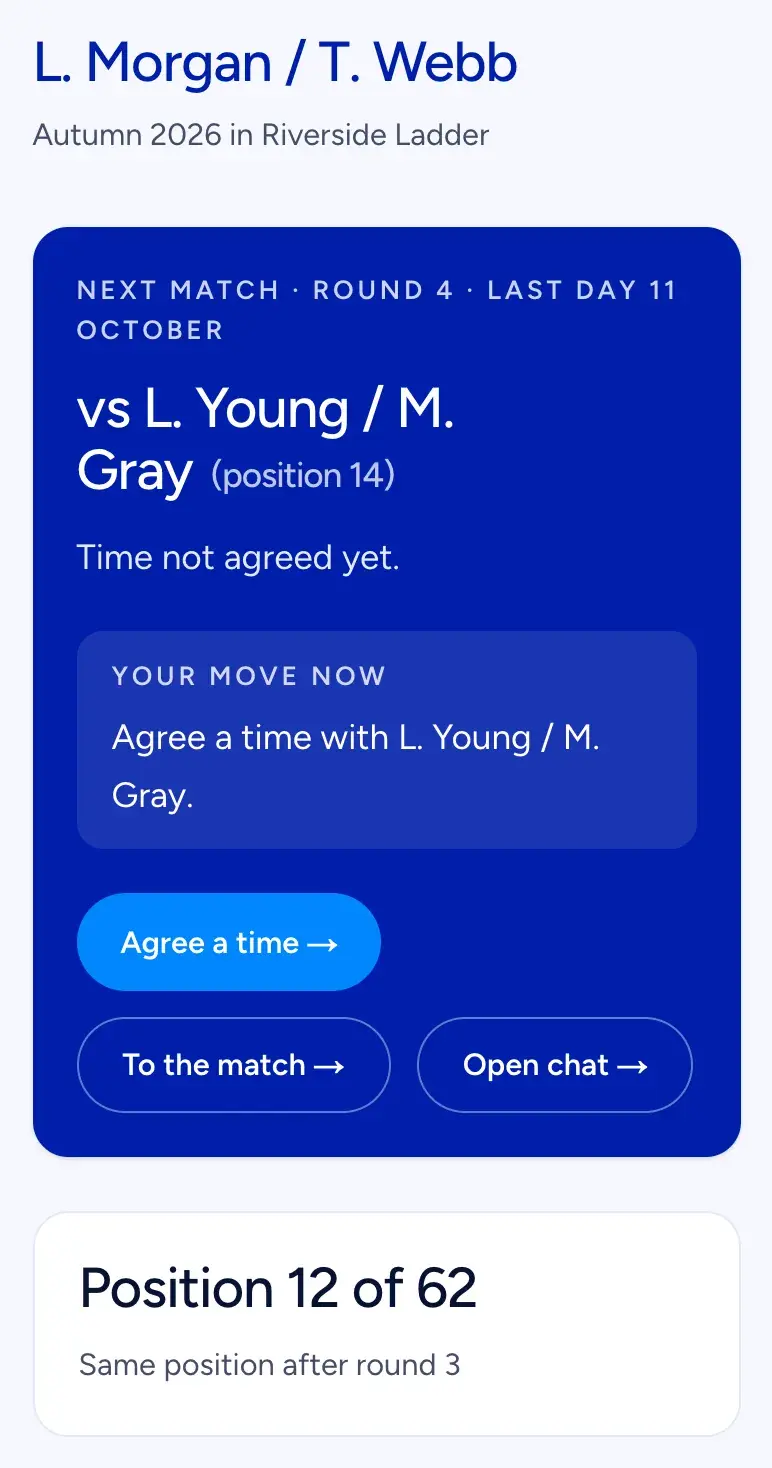 Your page: the next match and what to do now are always at the top.
Further down you see your form as letters, W for a win and L for a loss, with a ring around the letter for a walkover. A small chart shows the last five matches: up for a win, down for a loss, taller for a bigger margin in games. Then your season in numbers, and every result with the score.
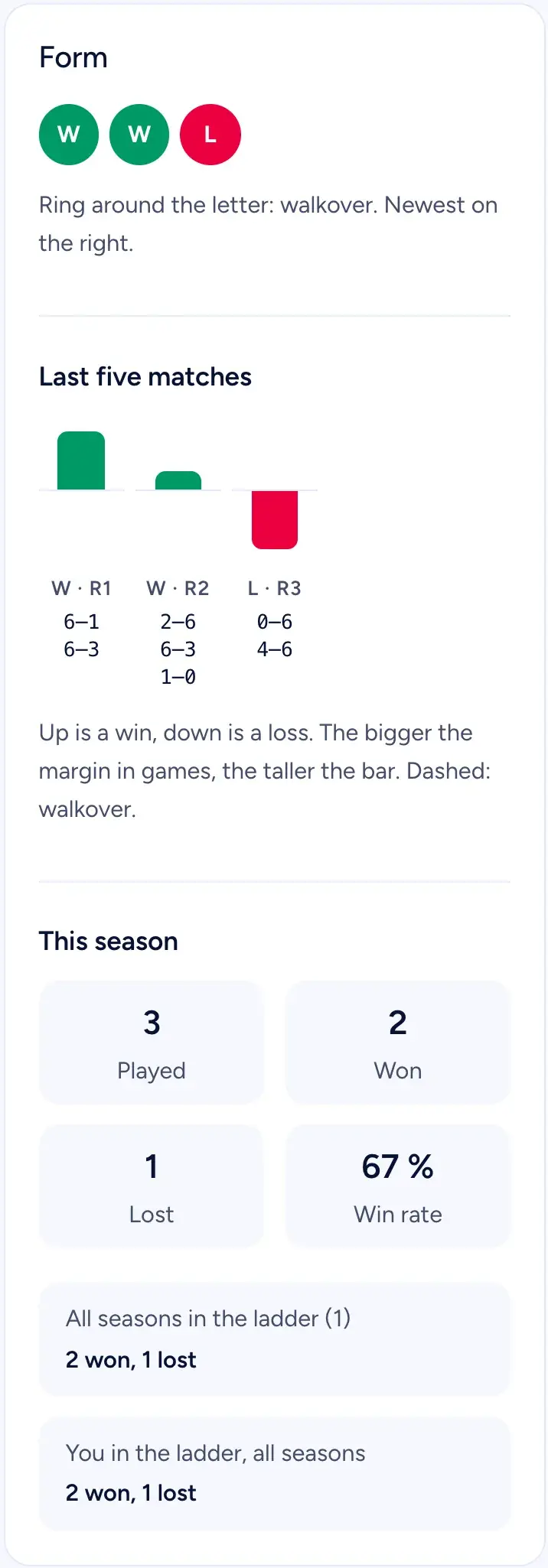 Form, the last five matches and the season in numbers.
Agreeing a time
When a round opens you get an email with your opponent and a few suggested times, based on when all four of you can play. One tap on a suggestion locks it. If nobody answers within 48 hours, the top suggestion is set automatically, so answer if it does not suit you.
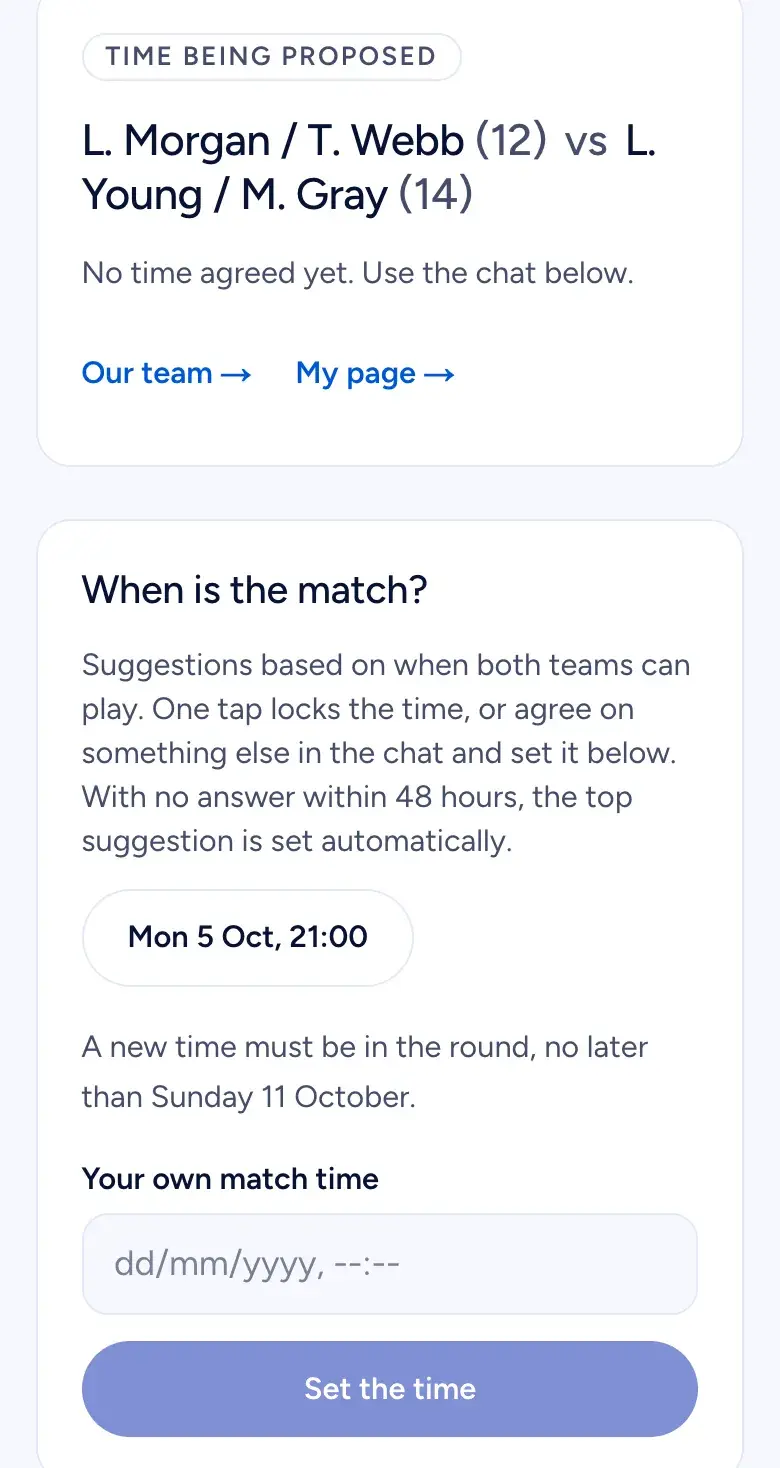 Tap a suggestion, or agree something else in the chat and set it yourself.
You can also agree something else in the match chat and set the time yourself. A new time must be within the round. A time only one team has set counts as agreed once the other team taps Accept the time. The chat is only readable by the four players and the club's board.
Entering the result
After the match, one of you taps Enter result and types the games per set. Empty sets are skipped, and a match tiebreak is entered as points, for example 10–8. If the time ran out before the match was finished, tick that box: then the team with most sets, or most games, wins, and an even match is a draw.
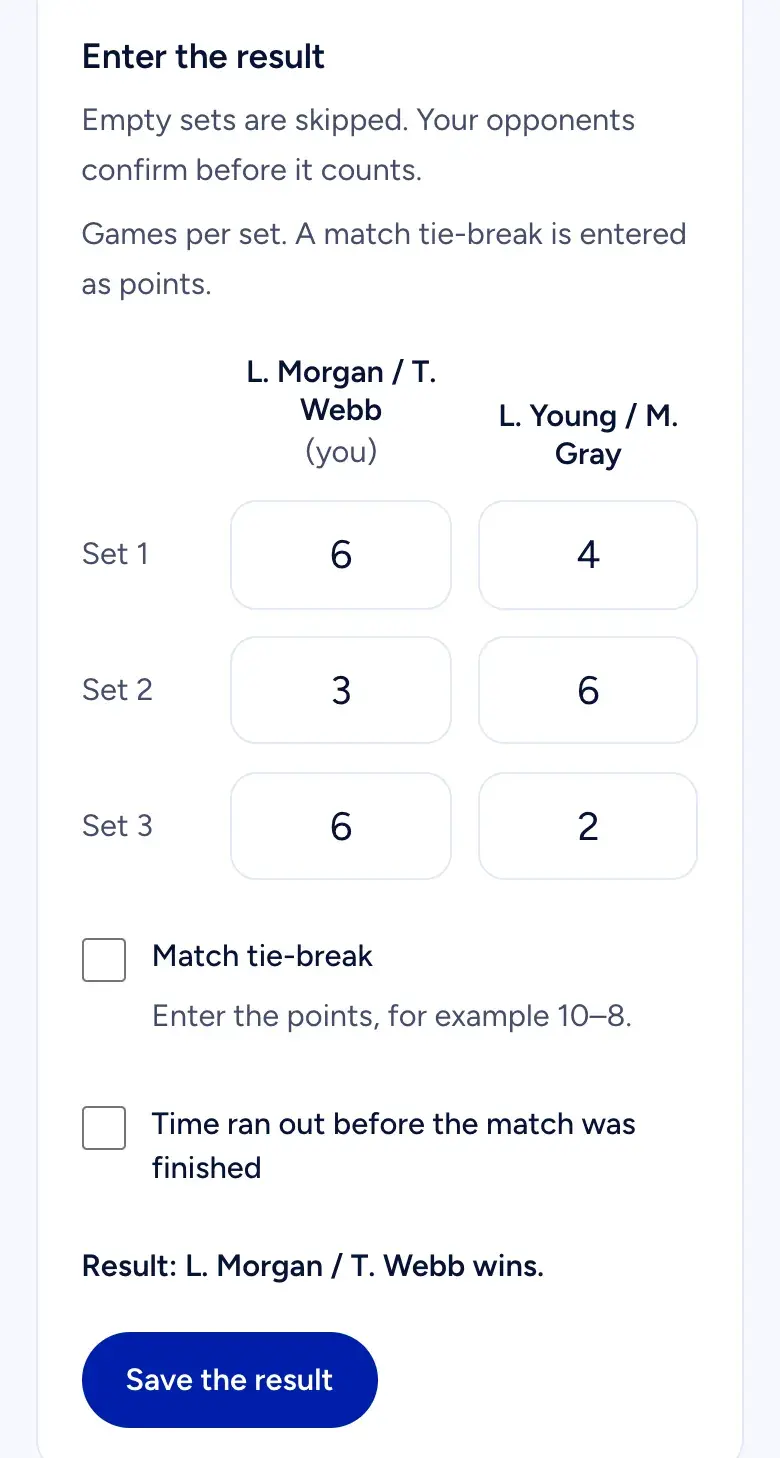 Games per set. The opponents confirm before it counts.
If you see that you typed it wrong, you can fix your entry until the other team has answered.
Confirming the other team's result
When the other team has entered a result, you get an email, and the match page asks: is it right? Tap Right, or Wrong: enter the right score. If the two scores match, the result stands. If not, the club's board decides.
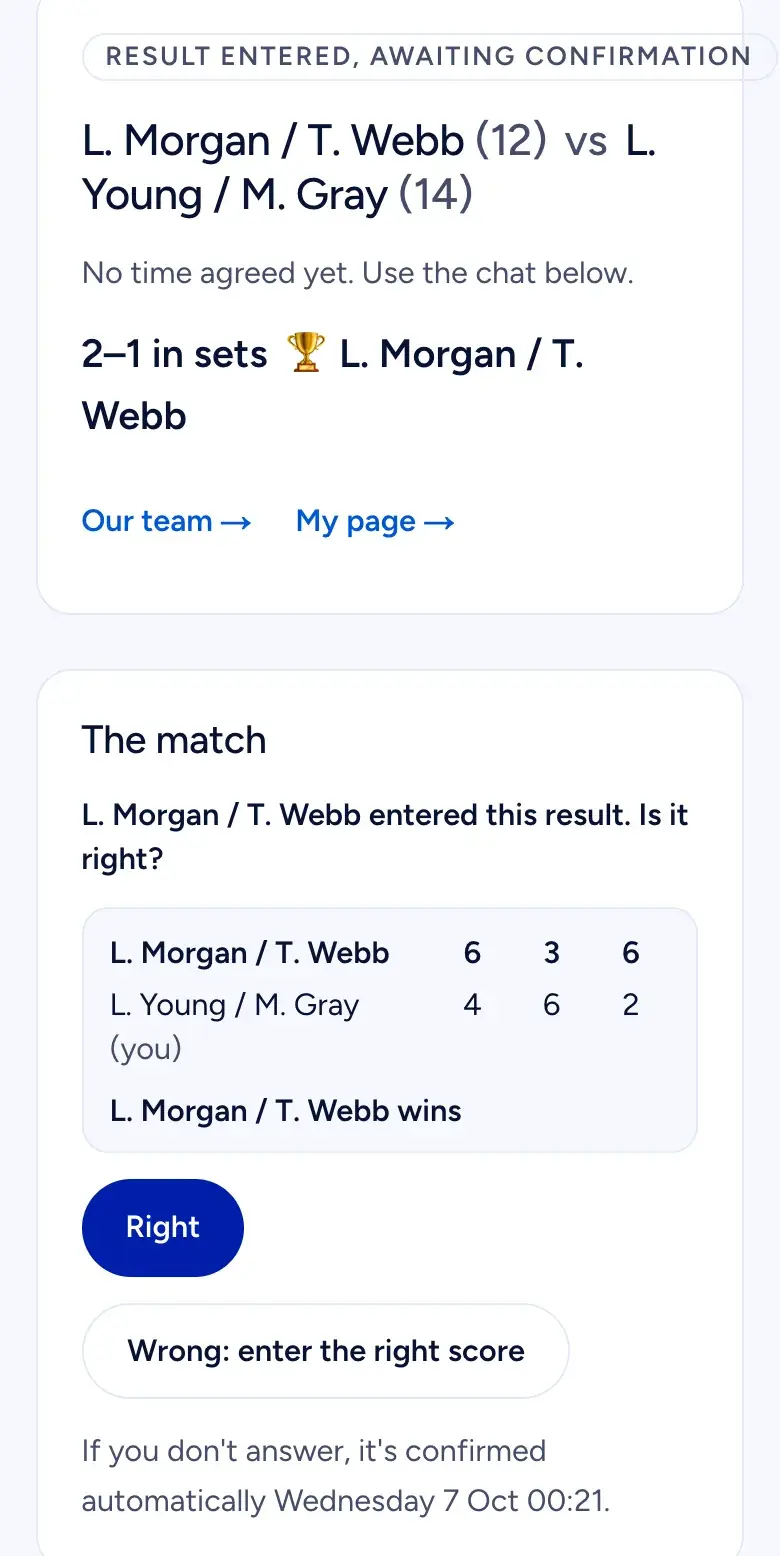 The deadline is on the page. No answer means confirmed.
The deadline is 72 hours after the match ended, and always at least 24 hours after the result was entered. If no time was agreed, it is 72 hours from the entry. If you do nothing, the result is confirmed. Found a mistake after that? Each team can suggest one correction within 7 days. The other team has 72 hours to accept or reject it, and if they stay silent, the confirmed result stands.
How you move in the table
The table moves when the round closes. Beat a team above you and you climb, further the bigger the gap, up to 8 places, and the loser drops a little. A draw moves nobody. Your team's row is highlighted when you are signed in.
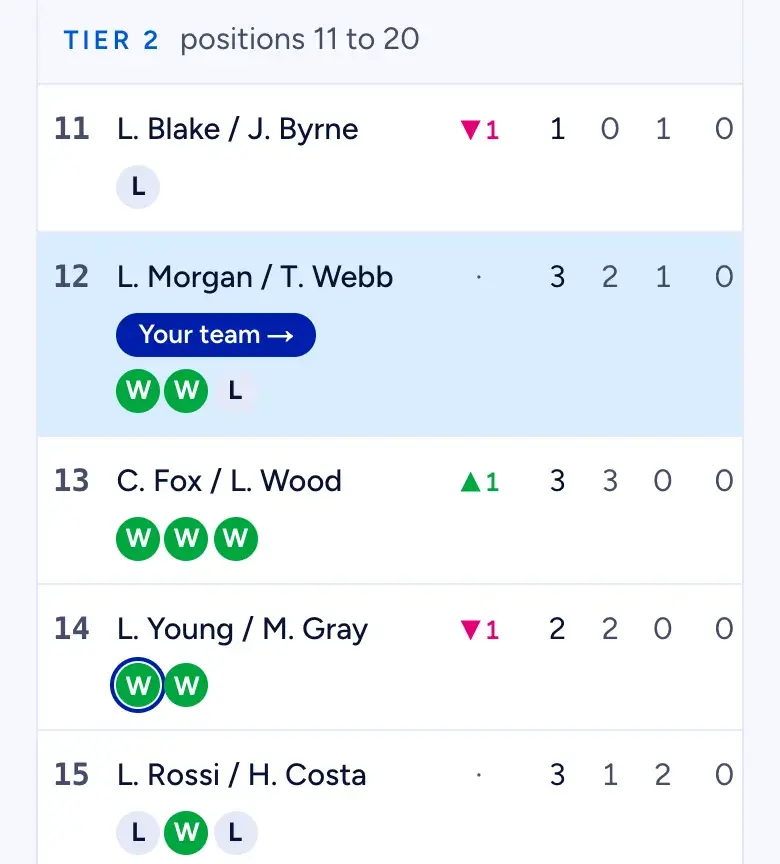 Your team is highlighted. Divisions only show where you stand.
The first three matches for a new team are placement matches and move it further than usual, so a team that picked the wrong level finds its place quickly. If the table is split into divisions, that is only display: you can still be drawn against a team in the next division.
When you can't play
- Your partner can't make it: bring in a sub before the agreed time, a registered player or someone else with a name and level.
- You can't play at all: concede before the agreed time, and your opponents win by walkover. The first concession of the season costs at most one place, the second counts as a loss plus one extra place, and from the third it also counts as a cancellation.
- Both teams want to call it off: one team asks, the other confirms, and nobody is penalised.
- You are away for a while: take a break of 1 to 3 rounds, twice a season. Your place stands.
- Your opponents do not show up: report a no-show from 15 minutes to 48 hours after a time they agreed to. You win by walkover, and they get the loss, one extra place down and a cancellation.
Two cancellations in a row take a team out of the ladder, and a played match resets the count. After the first one, both of you see a warning on your page. A team that goes three rounds without a match is put to sleep: it is not drawn, but its place stands, and I'm back on your page wakes it.
Emails you get
You get the round letter when a round opens, an email when the other team enters a result or writes in the chat, and a reminder before deadlines. An email about your new position only comes if you played in the round or moved at least two places. Choose Only what I need to act on on your page if you want fewer: emails about your own matches always come, because that is how your opponents and the board reach you.
When the season ends, the last round gets three extra days for entering results, and then you get a personal season summary with your position, your matches and your wins.
No ladder at your club yet?
Clubs can test Ladder: write to hi@padelloop.app
Ladder is in beta, and the first ladders are set up together with each club. If your club wants to test it, the board can write to hi@padelloop.app. Questions about your own team or a match go to your club.
Email hi@padelloop.apphi@padelloop.app
Playing a padel ladder: common questions
How long do I have to confirm a result in the ladder?
Until 72 hours after the match ended, and always at least 24 hours after the other team entered it. If no time was agreed, you have 72 hours from when it was entered. The deadline is on the match page. If you do nothing, the result is confirmed, so check it when the email arrives.
What happens if my partner can't play?
Before the agreed time you can bring in a sub: a registered player from the season or another player with a name and level. If you cannot play at all, concede before the agreed time. The first concession of the season costs at most one place, and a match both teams want to call off has no penalty.
Does a walkover count as a win?
Yes. If your opponents concede, or do not show up at a time they agreed to, your team wins by walkover and moves as if you had beaten them. The team that did not show up also drops one extra place and gets a cancellation. Two cancellations in a row take a team out of the ladder.
Can other players see my level and phone number?
No. Your level is only seen by you and the board, never in the table. Your phone number is only shown to your opponents, and only if you ticked that they may see it. In the table your team shows as initials and surnames, and you can choose to hide your surname so only your first name and initial show.

No ladder at your club yet?
Show the board how a club runs one. It takes an evening to set up, and we help.
How a club runs a ladder