
Padel ladder app for clubs: run a season ladder


Photo: Haakon Nordvik
A padel ladder is a club ranking that keeps people playing all season, and PadelLoop's Ladder runs it without one volunteer chasing results in a spreadsheet. This guide shows what the board actually does, screen by screen, from the first setup to the last round, and what the ladder does on its own.
Ladder is part of the Club plan and is in beta, with the first clubs starting this autumn. Clubs that want to test it can email hi@padelloop.app, and the ladder is set up together with the club. The player's guide covers the other side: everything a player has to do.
In short
- What it is: a ranking of fixed pairs that runs all season, with a new round every 7 to 28 days (14 by default) and usually one match per team per round.
- Your work: set up the season, add the teams and check the start list once. After that the rounds open, the emails go out and the table moves on its own.
- Results: one team enters the score, and the other has until match end plus 72 hours to confirm it. Silence means confirmed.
- Season end: the last round closes 3 days after its last playing day, and then the season is done.
- Price and status: Ladder is part of the Club plan and in beta. Email hi@padelloop.app to start one at your club.
How a club ladder works in five steps
The setup page walks you through the same order. Steps 1 to 4 take an evening; step 5 is the season.
Create the season
Name, start and end date, round length and any holiday breaks. You see the rounds and the last date before you save.
Add the teams
Paste a list or upload a spreadsheet, add pairs one by one, or let players sign up from a link.
Let players pick a level
Everyone signs in and picks their level on a scale with plain descriptions. You set the deadline.
Check the start list and start
The list is sorted by level. Move a team if you know better, then press Start.
Let it run
Rounds open by themselves, players agree times in the match chat, and you only step in when something needs you.
What a padel ladder in PadelLoop is
A ladder is a ranking of fixed pairs that runs for a whole season. Every round, usually two weeks, each team gets one match against a team close to it in the table. Beat a team above you and you climb, further the bigger the gap, up to 8 places, while the loser drops a little. A draw moves nobody. If you want the general idea first, challenge ladders against box leagues, read what a padel ladder is.
Three things make it work without a ladder secretary:
- The rounds run themselves. A new round opens on its date, every team gets an email with its opponent and suggested times, and the round closes on its own.
- Results confirm themselves. One team enters the score, the other team confirms it or enters its own. Silence counts as confirmed when the deadline passes.
- Players have their own page. Next match, position, form and results are on the player's page, so nobody needs to ask the board where they stand.
There is no app to download. Players sign in with an email link or Google, and the table is a public web page you can put on the TV in the hall.
Step 1: create the season
The first time the board opens the ladder, the setup page starts with the season form. It asks for a name, a start date, an end date and a round length between 7 and 28 days (14 by default). Add holiday breaks if the hall closes for half-term or Christmas: days in a break do not count in a round, and no round starts in one. Before you save, the form shows how many rounds you get and when the last one ends, so you can adjust the dates instead of discovering it in December.
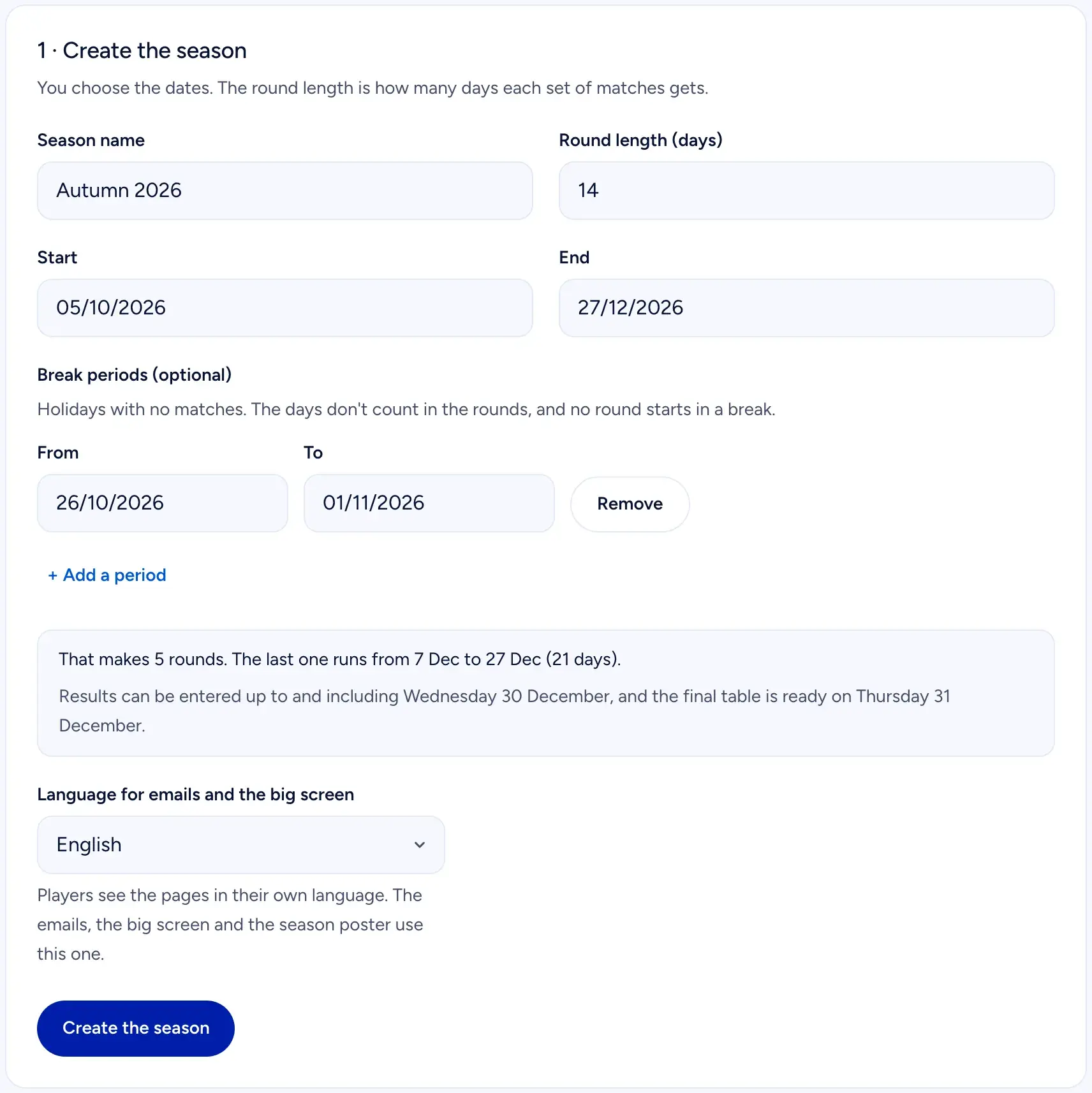 Step 1: the season. The box under the dates shows the rounds and the last date for results.
You also pick the language of the emails, the big screen and the season poster. Players see the pages in their own language, and there are five: English, Norwegian, Danish, Swedish and Spanish.
Step 2: add the teams
There are three ways in, and most clubs use all of them:
- Paste the list. One line per team: name and email for each player. Two optional columns take each player's Playtomic level. You can also upload an Excel or CSV file.
- Add a team by hand. Search for players who have been in the club's ladder before, so you do not type the same email twice, or type a name and email.
- Share the sign-up link. Players register themselves. You choose who gets in: the board approves each sign-up (recommended), everyone gets in automatically, or sign-up is closed.
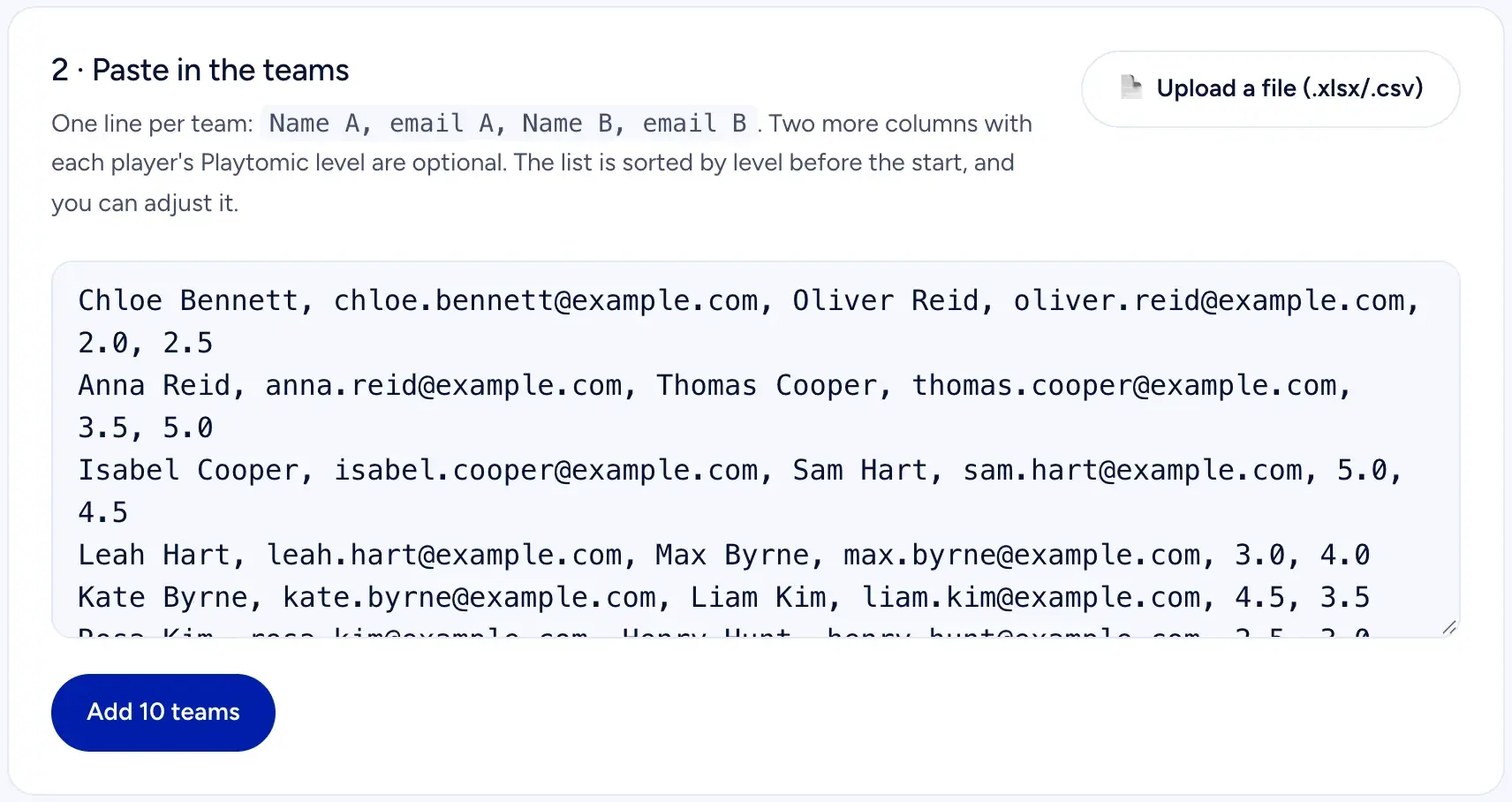 Step 2: paste the teams, one line per team, and add them.
Once the season is running, the same page has a card for sign-ups and for adding a pair by hand.
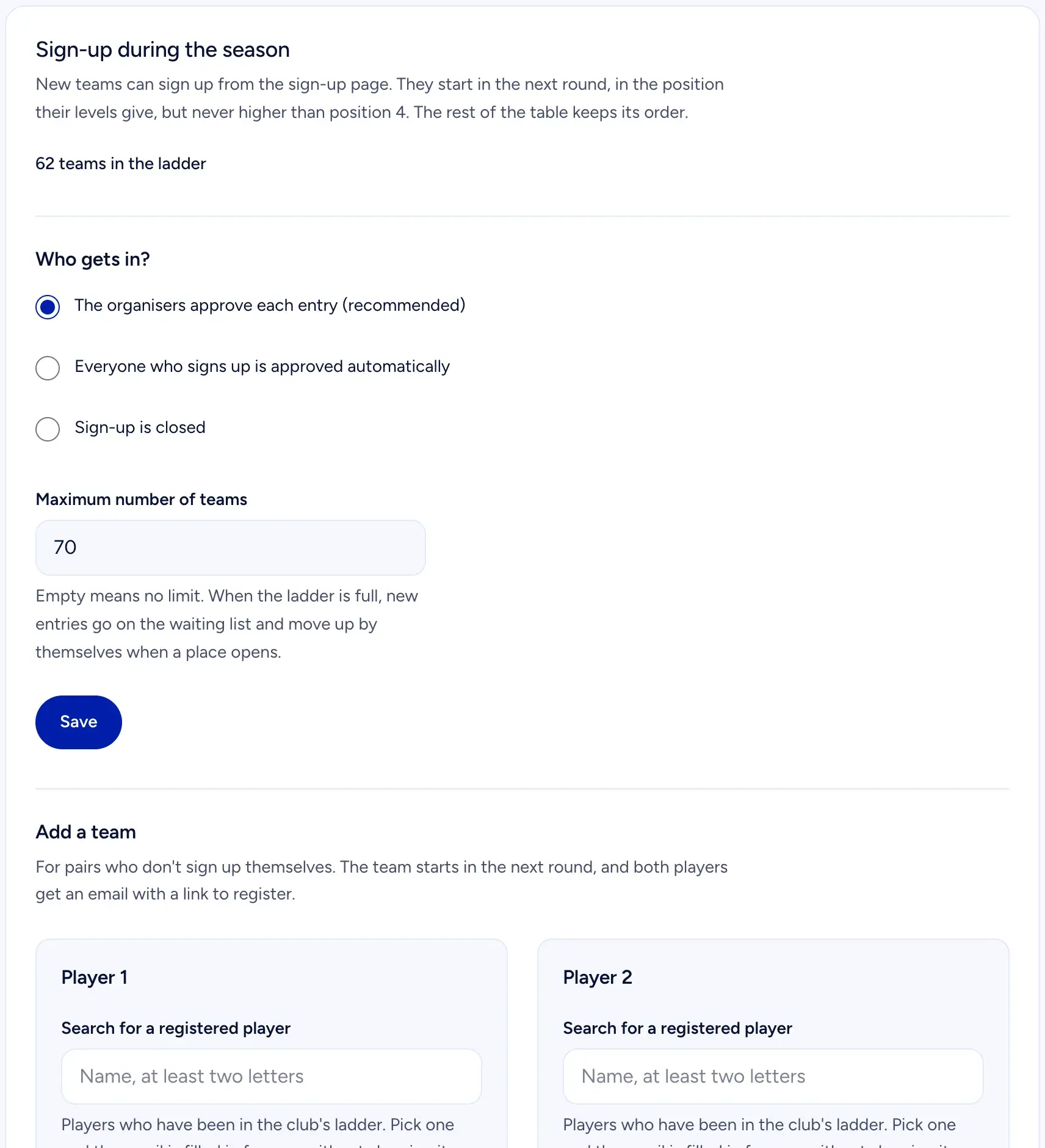 Sign-up during the season: choose who gets in, set a maximum, or add a pair yourself.
The maximum number of teams only limits sign-ups. When the ladder is full, new sign-ups go on a waiting list and move up on their own when a place opens. The board can still add a team beyond the limit, and gets a warning first.
Steps 3 to 5: levels, the start list and the start
In step 3 you set a deadline for picking a level and send the invitations. Every player signs in and picks the level they play at today, on ten cards from "New to padel" to "Competition". The numbers follow the Playtomic scale, and a player can type their Playtomic number instead. The level is never shown in the table: only the player and the board see it. Nothing is locked yet.
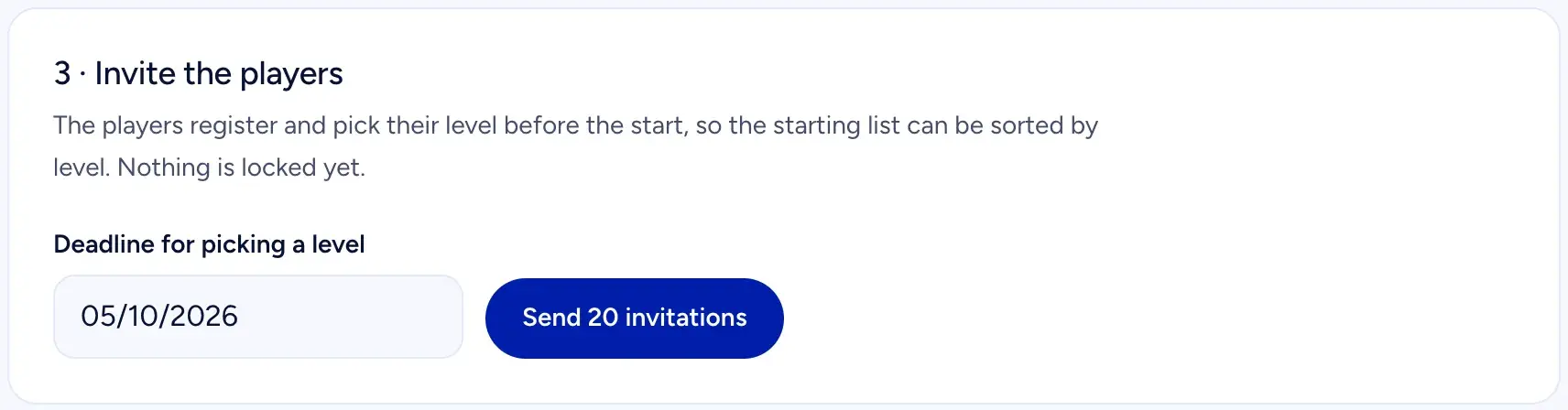 Step 3: invite the players and set the deadline for their level.
In step 4 the start list is sorted by each team's average level. You can move a team up or down if you know better, or adjust a player's level, which also gets the team's first matches right. Every change is saved at once.
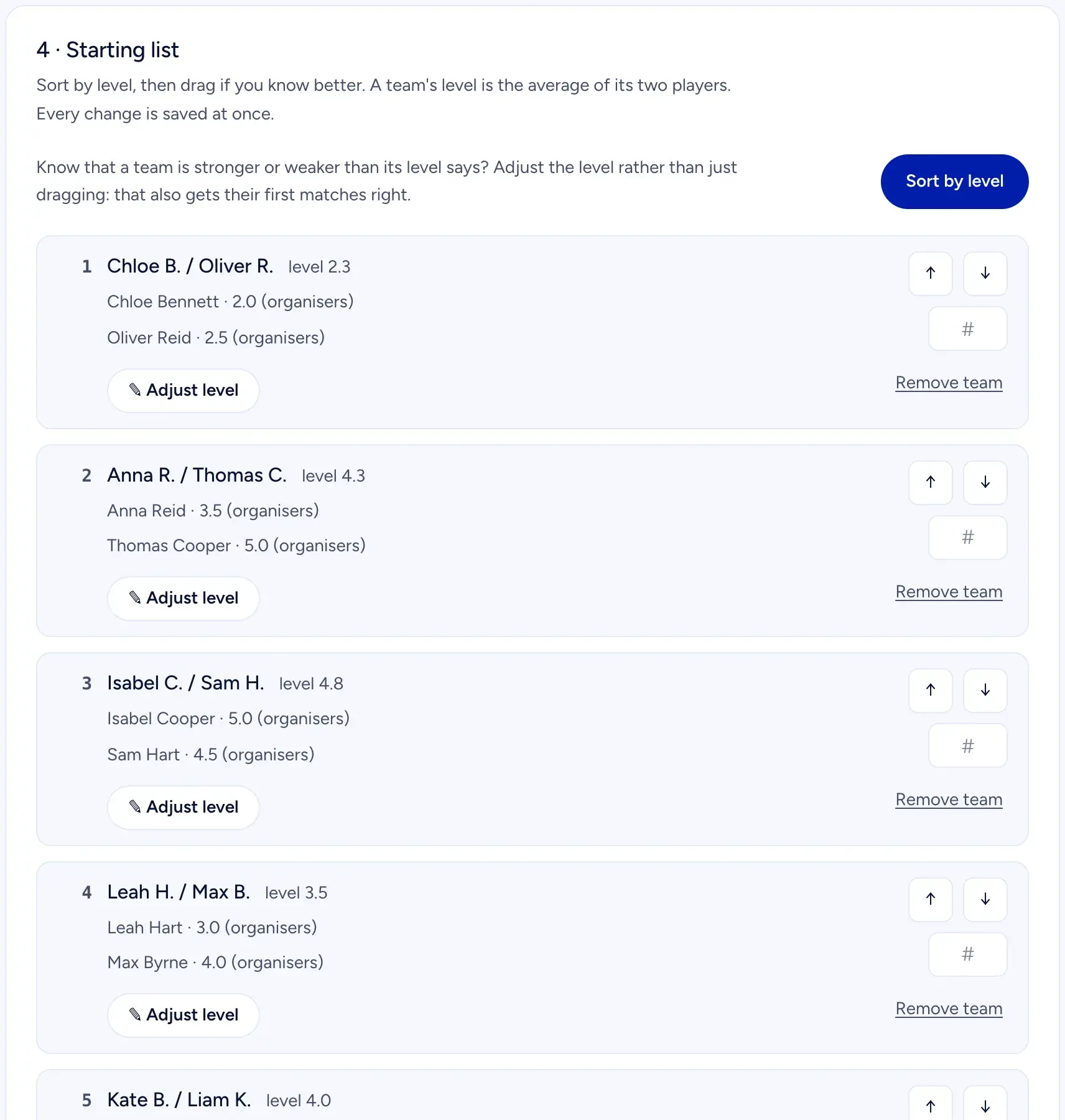 Step 4: the start list, sorted by level. Move a team or adjust a level.
Step 5 starts the season. The teams, the list and the levels are locked, and the invitations go to everyone not invited yet. The first round opens on the start date.
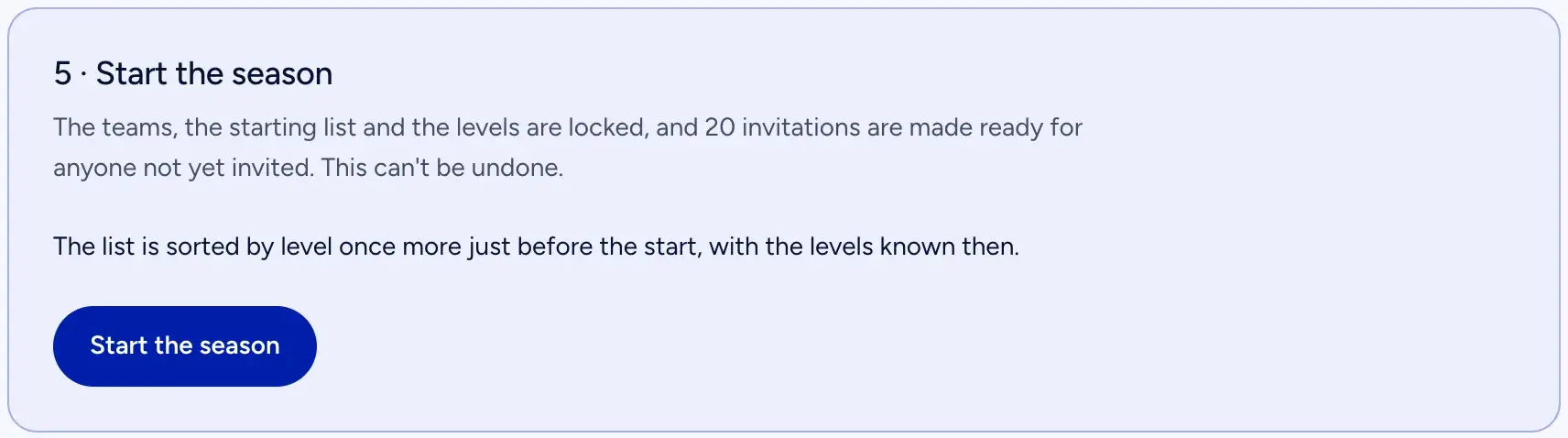 Step 5: start the season. This cannot be undone.
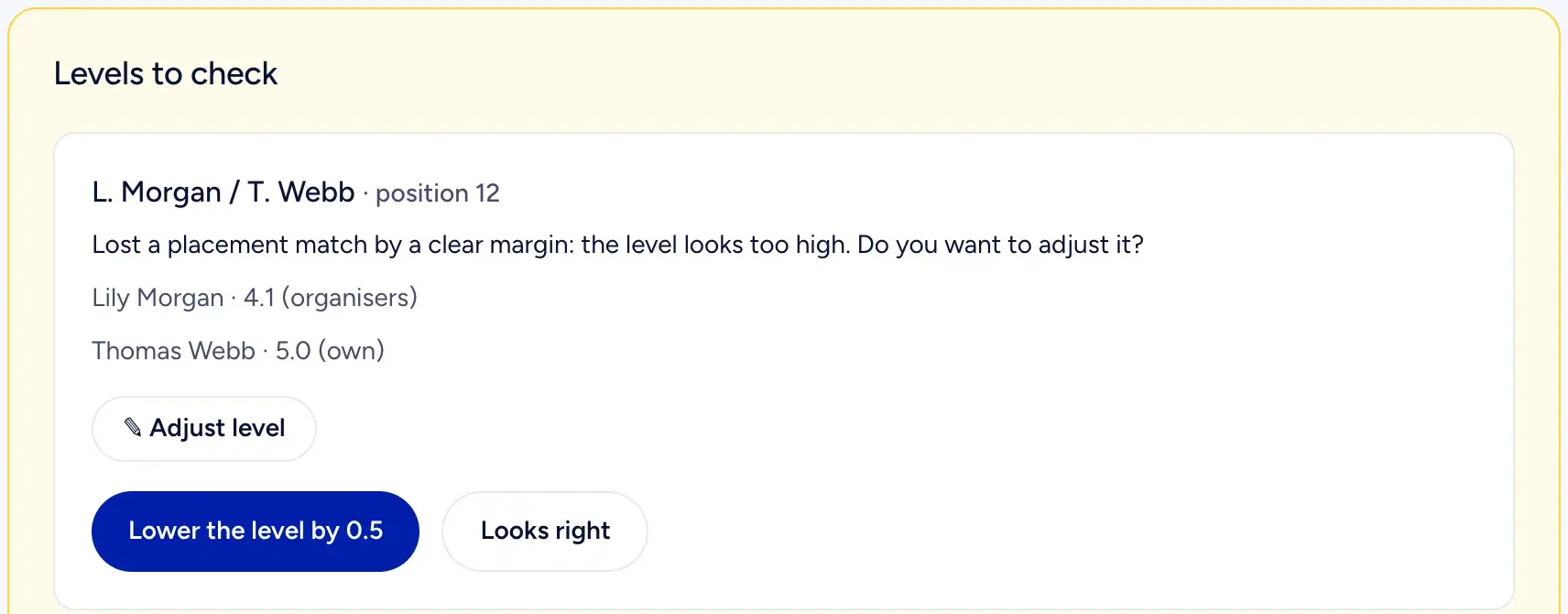 Levels to check: the ladder flags teams whose results or answers do not match the level.
The first three matches for every team are placement matches, and they move a team further than usual, up to about a quarter of the table at once, so a pair that picked the wrong level finds its place quickly. The ladder also flags teams for the board: a new team that loses big, or a player whose Playtomic number and description are more than one level apart. The board can adjust any player's level at any time, and the change counts for the rating and the pairing from then on.
Running the rounds
When a round opens, each team gets the round letter by email: the opponent, suggested times based on when both teams can play, and a link to the match. Players agree in the match chat. If nobody answers a suggested time within 48 hours, the top suggestion is set automatically.
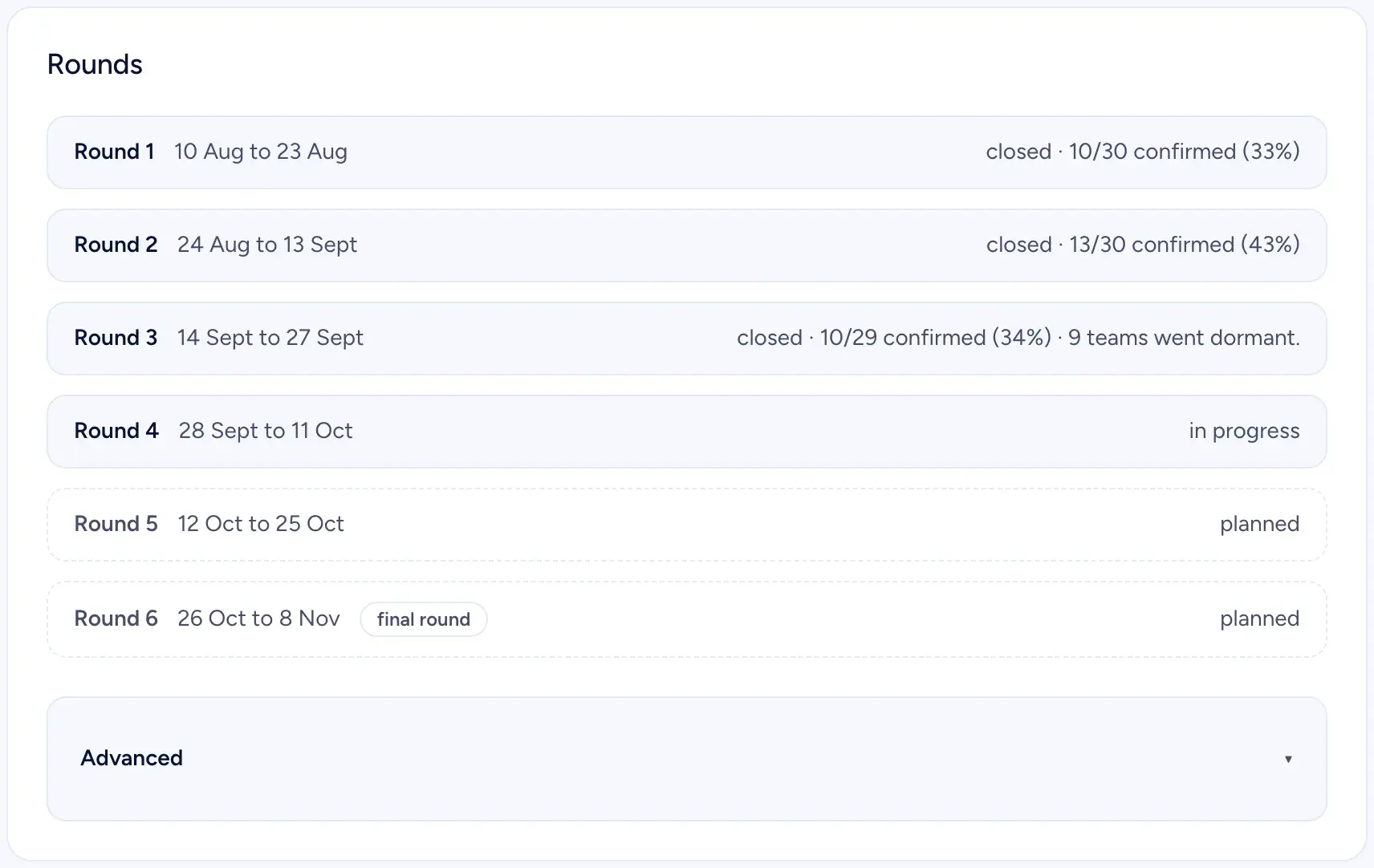 Rounds: dates, status and how many matches were confirmed in each.
If the club has fixed ladder hours, add them as a court pool: weekday, time and court. Each hour is suggested to one match at most, and only when both teams can play then. The other matches get suggestions from the players' availability, and any match can still be agreed freely in the chat.
Results and deadlines
After the match, one team enters the score. The other team gets an email and answers Right, or Wrong and enters its own score. If they agree, the result stands. If not, the board decides: approve one of the two, set the right score, or annul the match.
| What | Deadline |
|---|---|
| Answer a suggested time | 48 hours, then the top suggestion is set |
| Confirm an entered result | Match end plus 72 hours, and always at least 24 hours after it was entered. Without an agreed time: 72 hours after entry |
| Suggest a correction | Each team once, within 7 days of confirmation |
| Answer a correction | 72 hours. Silence: the confirmed result stands |
| Report a no-show | From 15 minutes to 48 hours after the agreed time |
| Enter results in the last round | Until the final close, 3 days after the last playing day |
Match end is the agreed time plus 90 minutes of court time. The extra 24 hours mean a team that enters late never takes the other team's chance to answer.
Walkovers, concessions and quiet teams
A walkover counts as a win for the team that showed up. A team that cannot play concedes before the agreed time, and the first concession of the season costs at most one place. The second counts as a loss plus one extra place, and from the third it also counts as a cancellation. A team that did not show up gets the loss, one extra place down and a cancellation.
Two cancellations in a row take a team out of the ladder, and a played match resets the count. After the first one, both players see the warning on their own page and on the team page, so nobody is taken out by surprise, and a warning and a removal never come in the same round close.
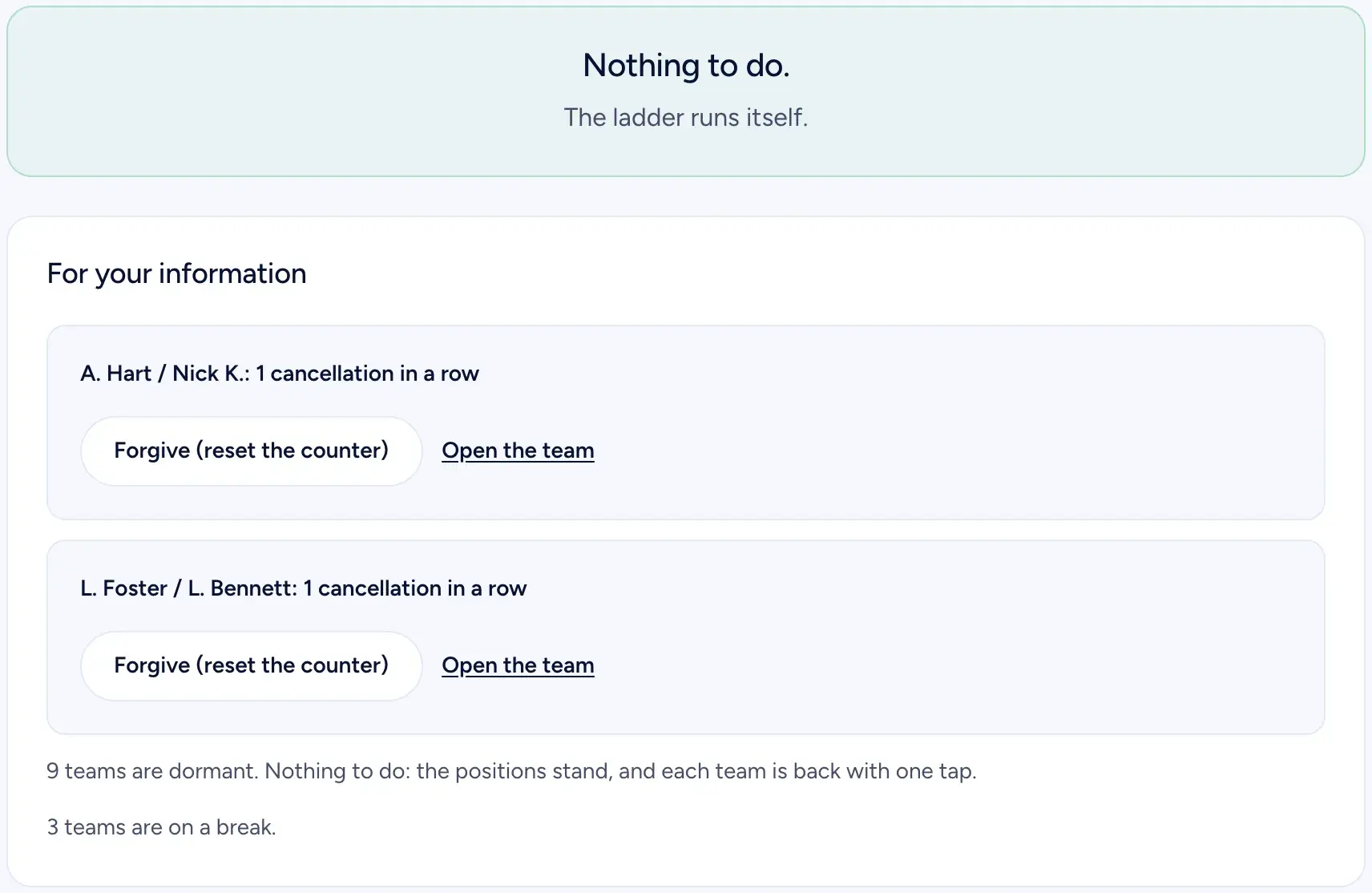 Most weeks the board page says it: nothing to do.
Teams that go quiet are handled without the board. A match that is not played because only one team answered costs the silent team one place. Three rounds in a row without a match put a team to sleep: it is not drawn, but it keeps its place, and one tap on "I'm back" wakes it. A team can also take a break of 1 to 3 rounds, twice a season, without losing its place.
The table, the big screen and the poster
The table is a public page. You can split it into divisions of 8, 10 or 12 teams, but that is display only: the pairing still runs across the whole ladder. Each team's last results show as W and L, and a team's own row is highlighted when a player is signed in.
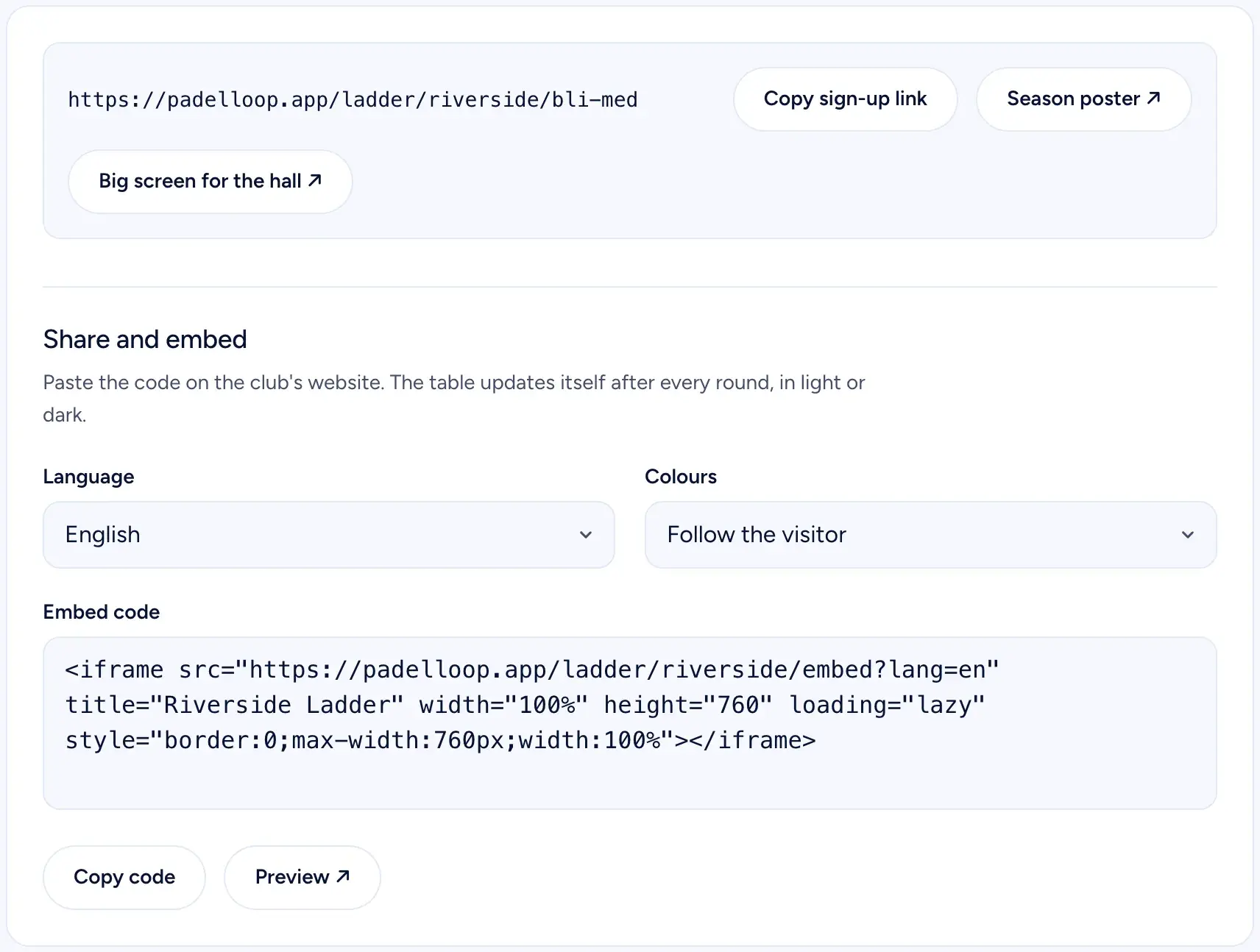 Sharing: the sign-up link, a poster with a QR code, the big screen and the embed code.
From the board page you get the sign-up link, a season poster with a QR code for the hall, a big screen view for the TV, and a code that puts the table on your club's website, light or dark, updated after every round.
Team names and privacy
A team name is the players' initials and surnames with a slash, like "A. Berg / O. Hansen". A player can hide their surname and shows as "Anna B." instead, and only the board can give a team a name of its own. Levels, email addresses and phone numbers are never public. A phone number is only shown to opponents, and only if the player agreed to it. The match chat is readable by the four players and the board.
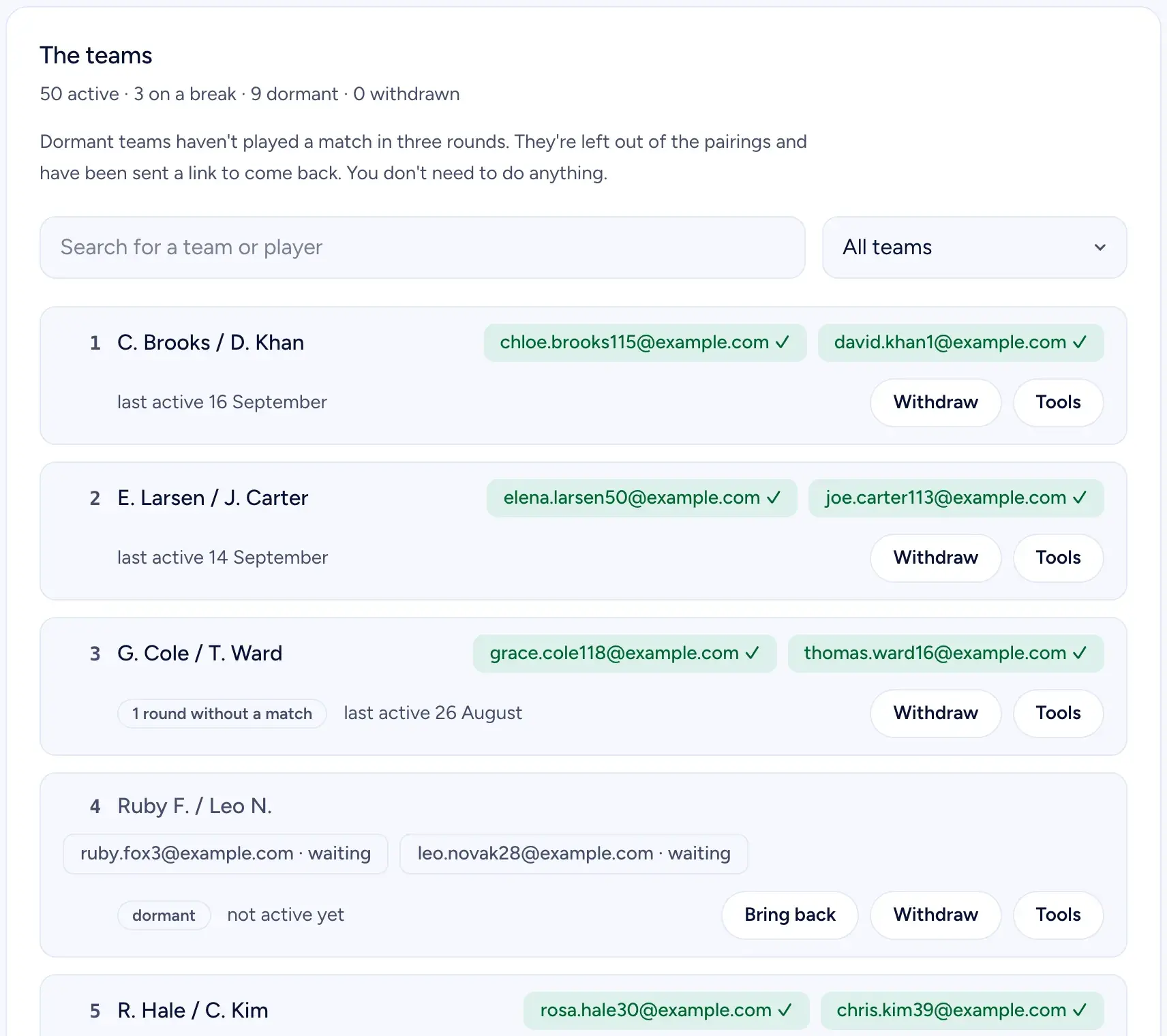 The team list: status, last activity and the tools for each team.
Season end and the next season
The last round has a last playing day. Results can be entered for three more days, and then the final close settles everything: unanswered results are confirmed, unplayed matches fall away, and the season is done. To make the podium, a team must have shown up in at least half of its rounds and not be asleep at the end. Every player gets a personal season summary by email.
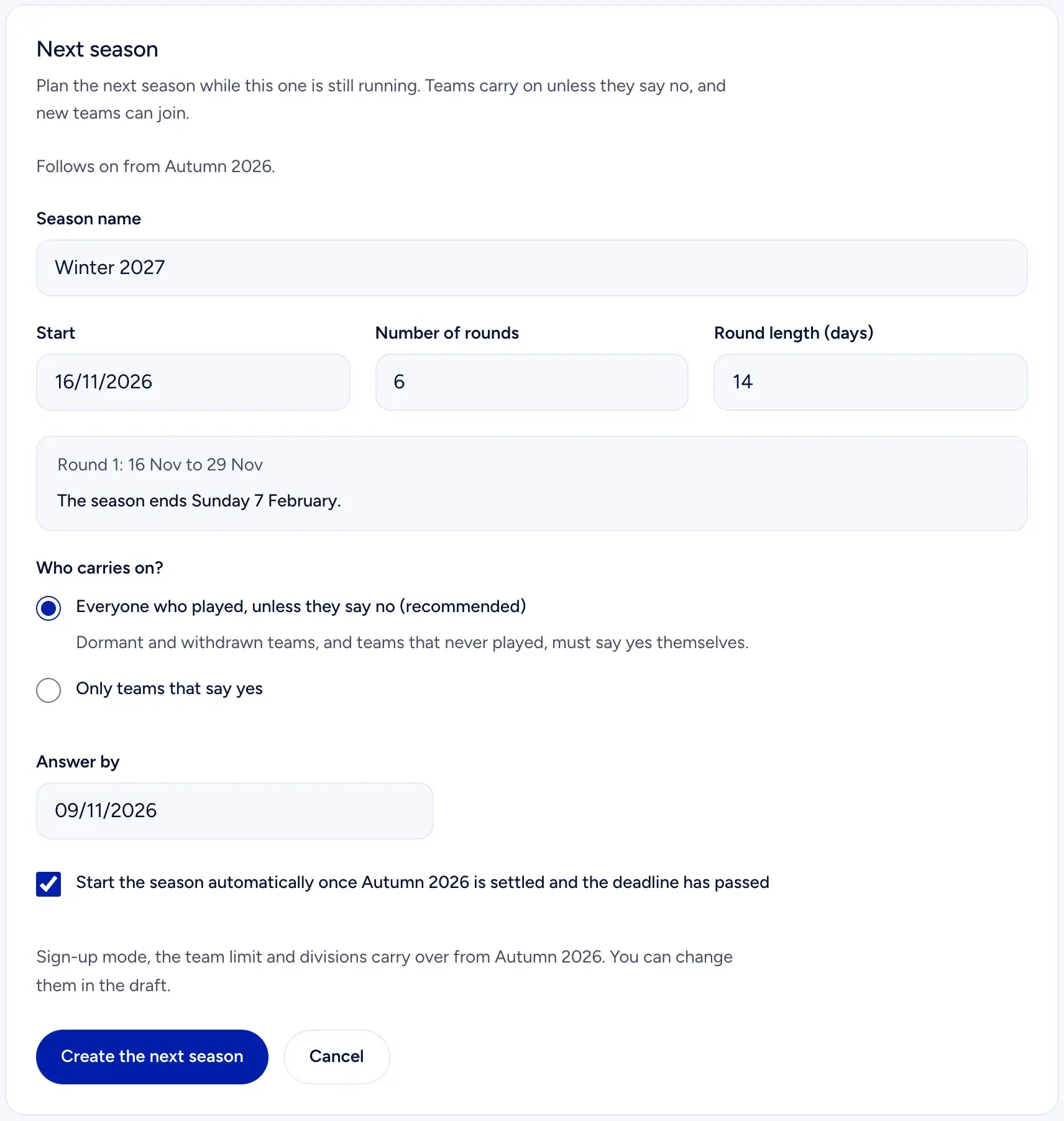 Plan the next season while this one runs: teams carry on unless they say no.
You can plan the next season while this one runs. Choose whether everyone who played carries on unless they say no (recommended), or only the teams that say yes, set an answer deadline, and let the new season start on its own when the old one is settled.
What is ready, and what to expect
Ladder is in beta. The rules above are what the code does today, and they have been run through simulated seasons with 60 teams before any club used them. What beta means in practice: we set up each ladder together with the club, and we follow the first rounds closely. Ladder is part of the Club plan, which also gives your club its own tournament page with your logo.
Test Ladder at your club
Write to hi@padelloop.app
The first ladders are set up together with each club. Tell us the name of your club, roughly how many pairs you expect and when you want to start, and you get an honest answer about what is ready today.
Email hi@padelloop.apphi@padelloop.app
Padel ladder app: questions clubs ask
How much work is a padel ladder for the board?
About one evening before the season and a few minutes a week after that. You create the season, add the teams and check the start list. Then rounds open by themselves, players agree times and enter results, and the board page shows a short list of the cases that actually need you, often none.
What happens when a team never answers?
Nothing is left hanging. A suggested time is set automatically after 48 hours, an entered result is confirmed when the deadline passes, and a team that stays silent while the other answered drops one place. Three rounds in a row without a match put a team to sleep, and two cancellations in a row take it out.
Can the board change a player's level after the start?
Yes, at any time. If you know a player is stronger or weaker than the level they picked, adjust it on the board page. The change affects the rating and who the team is paired with, so you avoid one-sided matches. The ladder also flags teams whose results suggest the level is wrong.
Can new teams join in the middle of the season?
Yes. You choose whether the board approves each sign-up, everyone gets in automatically, or sign-up is closed. A new team starts in the next round, placed by its level, but never higher than position 4 until it has played three counted matches. The rest of the table keeps its order.
Does Ladder cost money, and is it finished?
Ladder is part of the Club plan and is in beta. The first clubs are starting this autumn, and we set every ladder up together with the club. The free formats in PadelLoop stay free. Email hi@padelloop.app with your club's name, and you get an honest answer about what is ready.

Start a ladder at your club
Ladder is part of the Club plan. Read what Club includes, or email us and we set it up with you.
See the Club plan